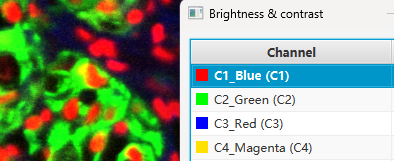
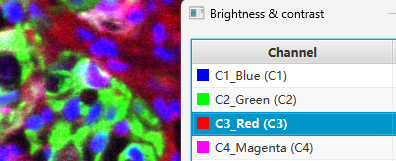
23 改变通道名称和颜色
通过groovy script改变多通道图片的通道名称和颜色”
1. 通过groovy script改变多通道图片的通道名称
有时候,基于某种需要,要改变多通道图片的通道名称。
具体见https://qupath.readthedocs.io/en/0.6/docs/tutorials/multiplex_analysis.html。该链接介绍了手动和自动策略。
比如我们针对示例图片(4通道),groovy script脚本如下:
// QuPath v0.6.0
// Set channel names
// Relevant to specific study (e.g. for a four channel image)
setChannelNames( // in the sequence of C1 (channel 1), C2, C3, C4
        'C1_Blue',
        'C2_Green',
        'C3_Red',
        'C4_Magenta' // 洋红
)

// Get the image name of the current image
def imageName = getCurrentImageName()

// Print the finished information
println "${imageName}'s channel names are renamed!"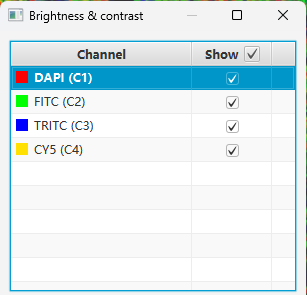
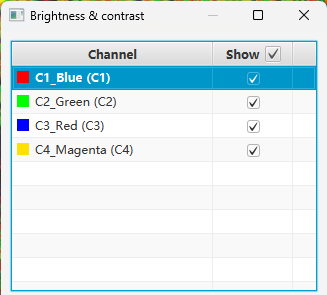
如果一个项目中的多个多通道图片相关设置相同(比如通道数量、通道名称、通道颜色),则通过groovy script批量更改更方便(Automate -> Script editor -> 点击右下角的三点按钮 -> Run for project)。
2. 通过groovy script改变多通道图片的通道颜色
有时候,基于某种需要,也要改变多通道图片的通道颜色。
比如我们针对示例图片(4通道),groovy script脚本如下:
// QuPath v0.6.0
def color_C1 = makeARGB(255, 0, 0, 255) // blue
// The "ARGB" in makeARGB stands for Alpha (transparency), Red, Green, and Blue.
def color_C2 = makeARGB(255, 0, 255, 0) // green
def color_C3 = makeARGB(255, 255, 0, 0) // red
def color_C4 = makeARGB(255, 255, 0, 255) // magenta/洋红

setChannelColors( // in the sequence of C1 (channel 1), C2, C3, C4
        color_C1,
        color_C2,
        color_C3,
        color_C4
)

// Get the image name of the current image
def imageName = getCurrentImageName()

// Print the finished information
println "${imageName}'s channel colors are changed!"