18 QuPath vs mrxs
用QuPath打开mrxs格式切片图像的问题
有时候,我们所拿到的切片图像格式是mrxs格式。
并且有时候,您可能想用QuPath软件(1)来分析这些图片。
1. QuPath对mrxs格式的支持情况
阅读QuPath的官方文档,可以发现:
… 2D, 8-bit, RGB images that do not use JPEG-XR compression seem to be ok. Anything else (e.g. 16-bit fluorescence) is not.
QuPath may still be able to open a low-resolution thumbnail for an unsupported MRXS image, but unfortunately not the full data.
所以,从实操角度,当拿到mrxs格式切片图像时,先用QuPath试试看。
下面所测试的是Windows版本的QuPath(version 0.6.0)。
2. 用QuPath打开mrxs格式的白光切片图像
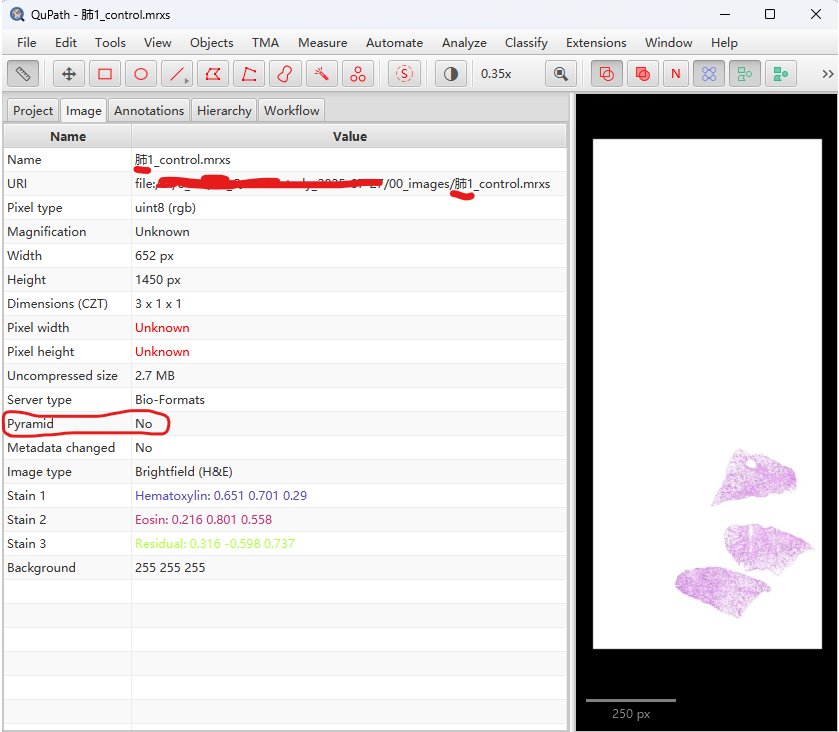
- 当图片路径包含中文时,发现只打开了缩略图,而没有打开完整图像👎。
- 当图片路径不包含中文时,则打开了完整图像👋。
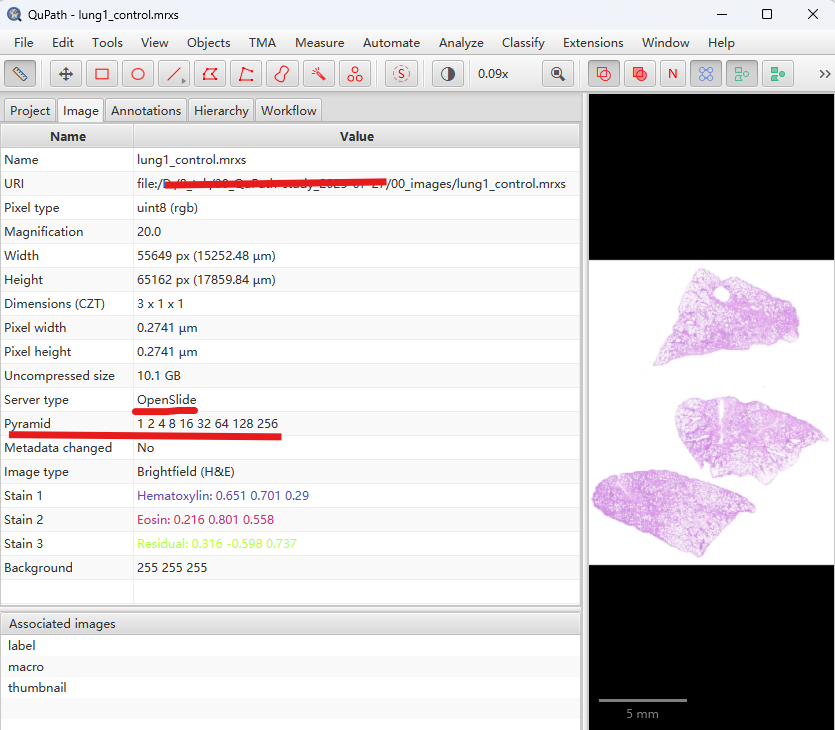
所以,先保证图片路径不包含中文,再用QuPath打开mrxs格式切片。
3. 用QuPath打开mrxs格式的多色荧光切片图像
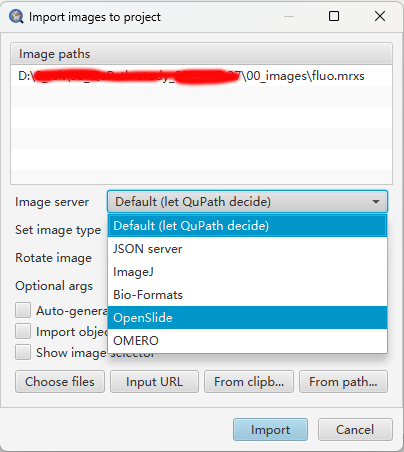
- 当图片路径不包含中文时,打开了图像,且识别了pyramid信息,但通道只有RGB通道,而没有真实的荧光通道信息,且读取的图片含有灰色区域。
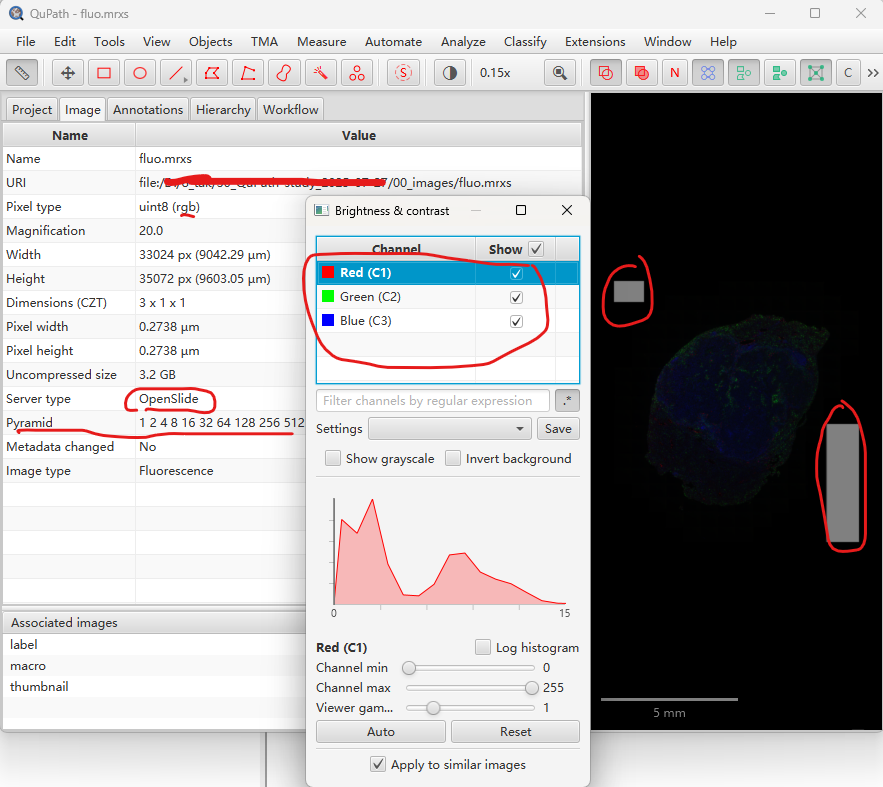
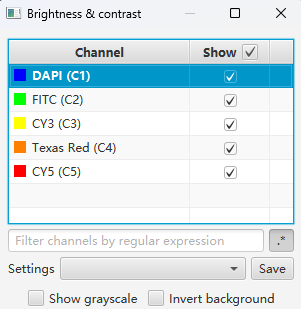
- 其它几个image servers,要么只能读取缩略图,要么“Error attempting to load image data. Failed to load ImageServer”,要么“Unable to add images”👎。
所以,如果还是想用QuPath分析的话,需要提前将mrxs格式转为QuPath支持的格式。
References
1.
P. Bankhead, M. B. Loughrey, J. A. Fernández, Y. Dombrowski, D. G. McArt, P. D. Dunne, S. McQuaid, R. T. Gray, L. J. Murray, H. G. Coleman, J. A. James, M. Salto-Tellez, P. W. Hamilton, QuPath: Open source software for digital pathology image analysis. Scientific Reports 7 (2017).