11  QuPath风格logo

QuPath风格的标识/logo

Published

December 3, 2025

1. 三个QuPath风格的标识

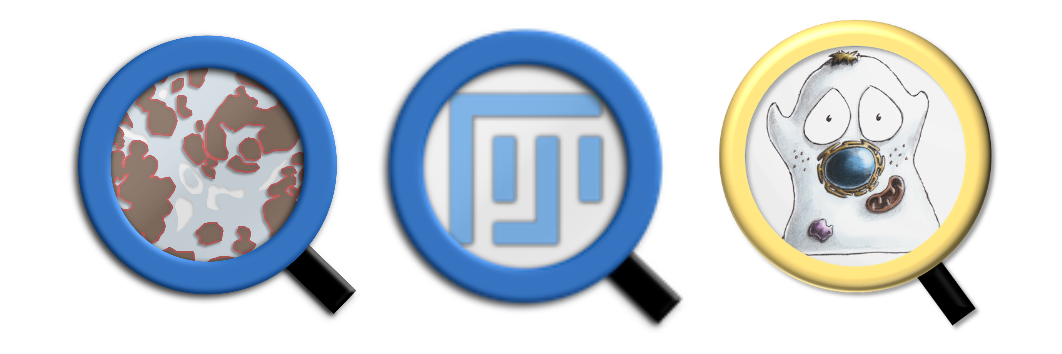
留意到Peter Bankhead负责的QuPath软件的标识(1)、整合Fiji的QuPath的标识(2)、和《Introduction to Bioimage Analysis》的标识(3)的风格很相似,也很有意思。

Dr. Peter Bankhead. (4)
# Load packages
library(ggplot2) # For plotting
library(terra) # For image processing
library(grid) # For changing to graphic object (grob)
library(magick) # Also for image processing

# ***** Read the three images *****
# Read the logo of QuPath
qupath_logo <- "images/qupath.png" |> 
    terra::rast()
qupath_logo |> dim() # The dimensions
[1] 1024 1024    4
qupath_logo |> nlyr() # The number of layers
[1] 4
qupath_logo |> datatype() # The data type
[1] "INT1U" "INT1U" "INT1U" "INT1U"
qupath_logo <- qupath_logo |> 
    terra::flip(direction = "vertical") # For flipping

qupath_logo_array <- as.array(qupath_logo)/255 # For changing to array and normalizing
qupath_logo_grob <- qupath_logo_array |>
    grid::rasterGrob(interpolate = TRUE) # For changing to grob

# Read the logo of QuPath embedded with FiJi
qupath_fiji_logo <- "images/qupath_fiji.png" |> 
    magick::image_read() # Use the package magick this time
qupath_fiji_logo_grob <- qupath_fiji_logo |> 
    grid::rasterGrob(interpolate = TRUE) # For changing to grob

# Read the logo of a book Introduction to Bioimage Analysis
intro_bioimage_analysis_logo <- "images/book-logo-smaller.png" |> 
    magick::image_read()
intro_bioimage_analysis_logo_grob <- intro_bioimage_analysis_logo |> 
    grid::rasterGrob(interpolate = TRUE)

# ***** Plot the three images *****
df <- data.frame(x = seq(1, 300, by = 3), y = 1:100) # Create a data frame
qupath_style <- df |> ggplot(aes(x = x, y = y)) +
    annotation_custom( # For adding the logo of QuPath
        qupath_logo_grob, # qupath_logo,
        xmin = 0,
        xmax = 100,
        ymin = 5,
        ymax = 100
    ) +
    annotation_custom( # For adding the logo of QuPath embedded with FiJi
        qupath_fiji_logo_grob,
        xmin = 100,
        xmax = 200,
        ymin = 0,
        ymax = 100
    ) +
    annotation_custom( # For adding the logo of Introduction to Bioimage Analysis
        intro_bioimage_analysis_logo_grob,
        xmin = 200,
        xmax = 300,
        ymin = 0,
        ymax = 100
    ) +
    geom_point(alpha = 0) + # For adding points but with alpha = 0 (i.e., invisible)
    theme_void()

qupath_style |> ggsave( # For saving
    filename = "images/qupath-style-logo.png",
    width = 9,
    height = 3,
    units = "cm",
    dpi = 300
    )

Left: QuPath; Middle: QuPath embedded with FiJi; Right: Introduction to Bioimage Analysis (a book).

2. QuPath风格的今卡标识

仅是为了好玩。

library(ggforce) # For drawing circle

# ***** Read the two images *****
# Read the logo of GeneCard Bio
genecard_bio_logo <- "images/genecard-bio_logo.png" |> 
    magick::image_read()
genecard_bio_logo_grob <- genecard_bio_logo |> 
    grid::rasterGrob(interpolate = TRUE) # For changing to grob

# Read the logo of GeneCard Bioimage
genecard_bioimage_logo <- "images/genecard-bioimage_logo.png" |>
    magick::image_read()
genecard_bioimage_logo_grob <- genecard_bioimage_logo |>
    grid::rasterGrob(interpolate = TRUE) # For changing to grob

# ***** Set the coordinates for magnifying lens (放大镜) *****
# Prepare a data frame for circles/glasses
circles <- data.frame(
    x = c(50, 150),
    y = c(50, 50),
    r = c(40, 40)
)

# Prepare a data frame for lines (i.e. the handles of magnifying lens)
line_1 <- data.frame( # Try several iterates to set the coordinates
    x = c(73, 90),
    y = c(20, 0)
)
line_2 <- data.frame( # Try several iterates to set the coordinates
    x = c(173, 190),
    y = c(20, 0)
)

# ***** Plot the two image with QuPath-style *****
df <- data.frame(x = seq(1, 200, by = 2), y = 1:100) # Create a data frame
genecard_qupath_style <- df |> ggplot(aes(x = x, y = y)) +
    annotation_custom( # For adding the logo of GeneCard Bio
        genecard_bio_logo_grob,
        xmin = 20, # Try several iterates to set the coordinates
        xmax = 80,
        ymin = 20,
        ymax = 80
    ) +
    annotation_custom( # For adding the logo of GeneCard Bioimage
        genecard_bioimage_logo_grob,
        xmin = 112, # Try several iterates to set the coordinates
        xmax = 182,
        ymin = 12,
        ymax = 82
    ) +
    geom_point(alpha = 0) + # For adding points but with alpha = 0 (i.e., invisible)
    geom_line( # For adding the handle of magnifying lens (left black line)
        data = line_1,
        aes(x = x, y = y),
        linewidth = 4,
        color = "black"
        ) +
    geom_line( # For adding the handle of magnifying lens (right black line)
        data = line_2,
        aes(x = x, y = y),
        linewidth = 4,
        color = "black"
        ) +
    ggforce::geom_circle( # For adding circles/glasses of magnifying lens
        data = circles,
        aes(x0 = x, y0 = y, r = r, linewidth = 8),
        color = "#3674C1"
        ) +
    theme_void() +    
    theme(legend.position = "none") # For removing legend

genecard_qupath_style |> ggsave( # For saving
    filename = "images/qupath-style-logo-2.png",
    width = 6,
    height = 3,
    units = "cm",
    dpi = 300
    )

Left: GeneCard Bio; Right: GeneCard BioImage. (So far so good😀)

图片素材下载地址(供测试):通过网盘分享的文件:2025-12-03_QuPath-style 链接: https://pan.baidu.com/s/1OXx3ULl469PkyUbQXcXlFg?pwd=y1ih 提取码: y1ih

给我买杯茶🍵

References